

Categories
Archives
- October 2012
- September 2012
- May 2012
- April 2012
- March 2012
- November 2011
- October 2011
- September 2011
- July 2011
- May 2011
- April 2011
- March 2011
- February 2011
- October 2010
- August 2010
- May 2010
- March 2010
- February 2010
- November 2009
- September 2009
- July 2009
- June 2009
- May 2009
- April 2009
- March 2009
- February 2009
- December 2008
- October 2008
- September 2008
- July 2008
- June 2008
Connection monitoring with NetStat Agent
I was asked by email how to monitor only one local port, so decided to answer in blog.
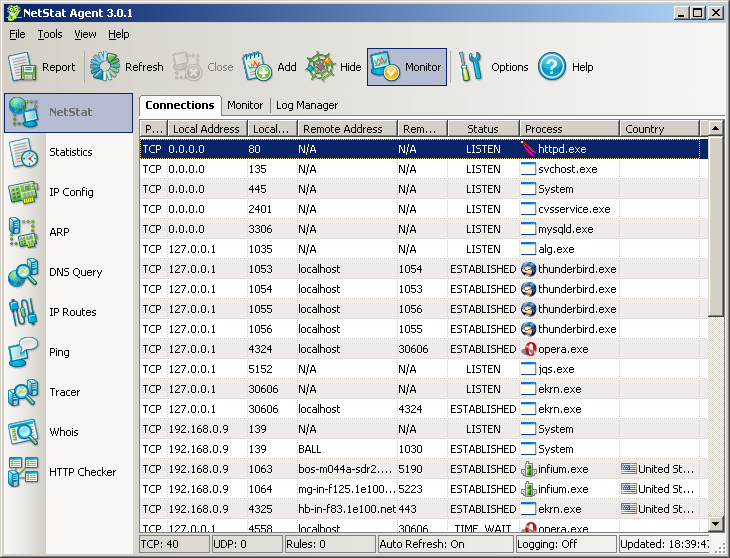
Let assume that we have a HTTP server (Apache) on local port 80 and we want to monitor all HTTP connections. With installed NetStat Agent it is very easy to do.
After running NetStat you will see a lot of connections (click to see the large picture):
So we need to create a filter in “Monitor” tab to hide unwanted connections:
- In the context menu (right click) select “Clear” to clear all fields.
- Set the name of filter: “hide all”.
- Set action as “Hide”.
- Check on the box “Enabled”.
- Press “Add” button to add a new filter.
The result you may see on the screenshot:

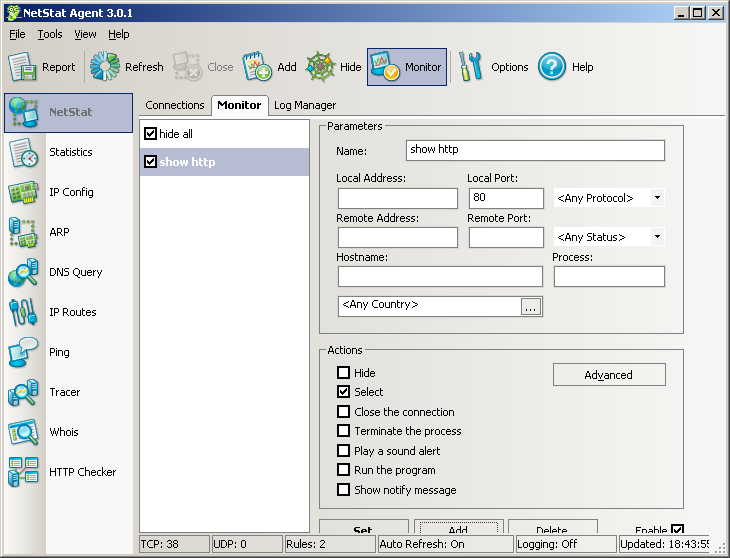
After adding this filter all connections are invisible. So we need another one to show only wanted connections:
- In the context menu (right click) select “Clear” to clear all fields.
- Set the name of filter: “show http”.
- Set the local port: 80.
- Check on “Select” action only.
- Press “Add”.
See screenshot:
Now if you select “Connections” tab again, you will see only HTTP connections:
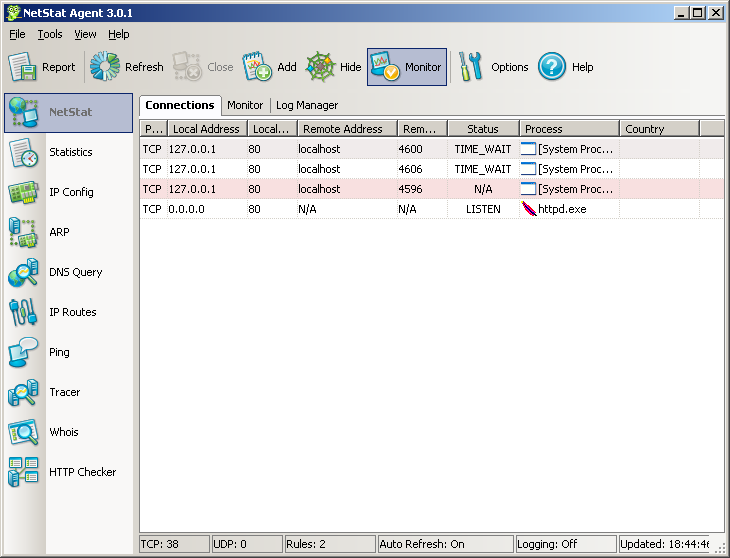
With NetStat Agent you may monitor HTTP visitors in real-time mode!
- February 9th, 2010
-
